Melting
Changelog

Announcements

Improved

[260715] Chat Room Feature Update

Improvement

For a more convenient experience on both mobile and PC, the new reply view has been updated from a popup to a bottom-sheet format that slides up from the bottom!

You can also select your frequently used messages directly in the new reply view and enter them with ease—no need to type them out again and again.

We'll keep working hard so you can continue enjoying your conversations with your characters.

Enjoy your Melting time today!

Improved

[260715] Melt your items to create new memories!

Collecting Memory Shards

Melt your items to turn them into Memory Shards and reforge brand-new items! Melting an item you own gives you 1 Memory Shard.

Get a New Item with 5 Memory Shards

  • Once you collect 5 Memory Shards, you can choose any character you like and reforge 1 new item.
  • You can only reforge items for characters who already have a bag — meaning characters you've received at least one item from.
  • You won't know which item you'll get until it's finished! You can check the reforged item in the selected character's bag.

Notice

  • You can reforge Memory Shard items until July 31, 2026, 23:59 (KST)!
  • Reforged items are randomly created from What's In Your Bag items.
  • Melted items cannot be restored.
  • Memory Shards are gathered together no matter which character's item you melt. When you reforge again, you can freely choose which character receives the item.
  • Items deleted before Memory Shards were introduced are not included.
  • You cannot reforge an item for a character whose bag is full. Please tidy up that character's collection items in advance before using this feature.

We're working hard to make Melting even better.

Enjoy your Melting time today!

Improved

[260714] Meet the new Notifications!

Notifications have been redesigned so you can catch every update at a glance, without missing a thing!

Improvement

You can now see all your updates in Notifications at a glance. Notifications are organized by tab!

  • [All]: See every notification in one place, sorted by time.
  • [Characters]: Updates from characters — new messages, new opening scenes, and weekly new series, all in one spot.
  • [Activity]: Comments, replies, likes, and new followers are collected here.
  • [Announcements]: Check Melting's announcements.
  • [Other]: Reward history like daily check-ins and tickets is gathered here.

There are new features, too!

  • A new [Events] tab has been added. Keep track of the time remaining for ongoing events and never miss the winner announcements for ended events.
  • Character notifications now show the character's profile picture, so you can instantly tell which character sent it.
  • The latest announcement stays pinned at the top of Notifications, so you see important news first.

Keep up with all your updates with ease!

Enjoy your Melting time today!

Improved

[260713] Edit Your Persona Right in the Chat

Improvement

You no longer need to go to My Page to edit your persona description —
now you can edit it right in the chat room!

How to Use

  1. Tap the ⋮ button at the top right of the chat room.
  2. In [My personas], select the persona you want to edit.
  3. Edit the [Persona description], then tap [Save and continue chatting].

Notice

  • You can freely write things like personality, speech style, and your relationship with the character.
  • Saved changes will be reflected naturally from your next conversation with the character.
  • Other basic details besides the persona description can be edited in [My Page] > [Personas].

Keep the conversation flowing and immerse yourself with the persona you want!

Enjoy your Melting time today!

Improved

[260709] Suggested Replies Update

Now you can get suggested replies that better match the flow of your conversation!

Improvements

Here's what's new with suggested replies:

  • They now better reflect your relationship with the character, the situation, and their speaking style.
  • We've adjusted them to offer choices that help keep the conversation going.

We're listening to your feedback and improving things one step at a time.

Have a great time on Melting today!

Improved

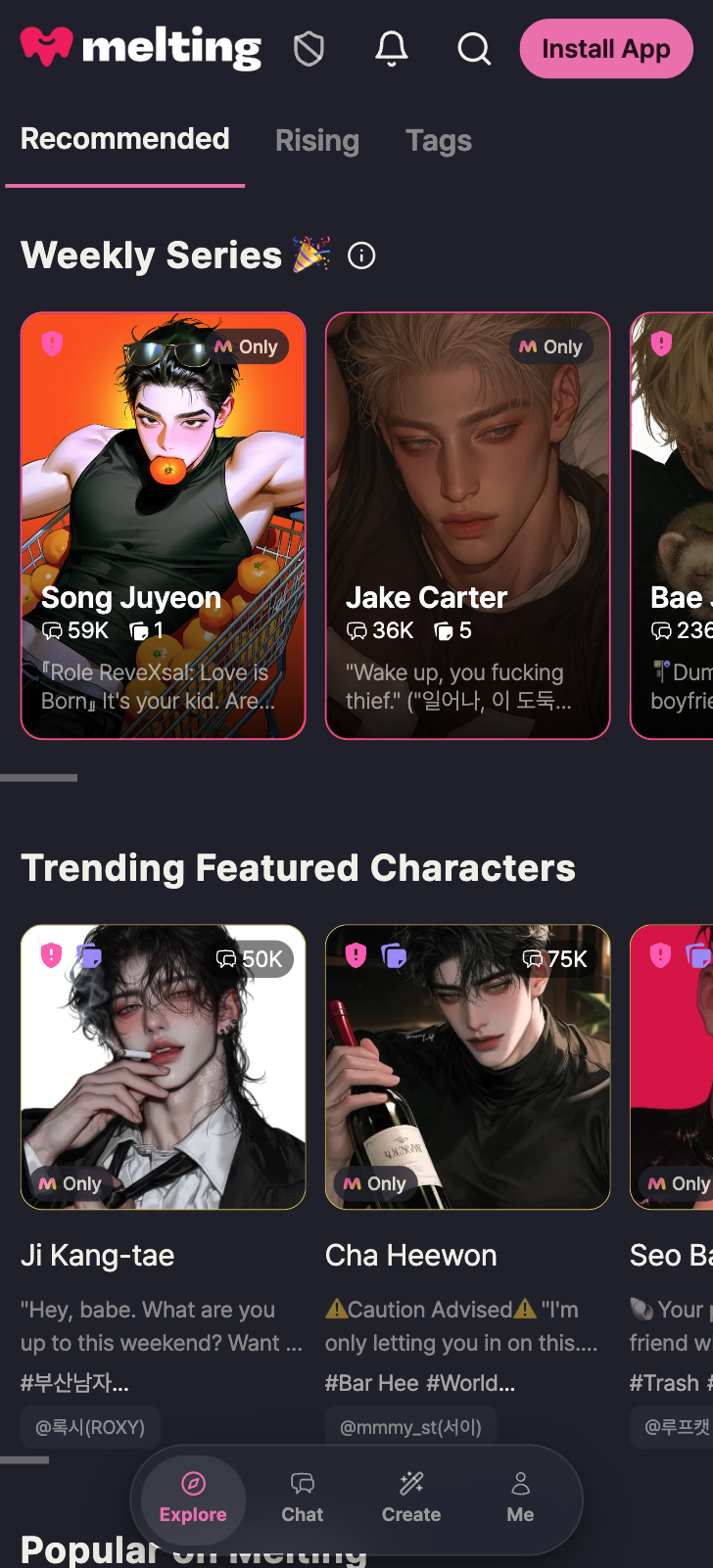
[260708] A Fresh New Look for Melting

Melting's design has been refreshed across the app.
Colors and shapes now follow one unified tone, making every screen cleaner and easier to take in.

The bottom menu has also been redesigned, so you can browse characters all the way to the edge of the screen.
While you're browsing characters, the menu shrinks down to just icons, giving you even more room on the screen.

스크린샷 2026-07-08 오후 6.25.16
  • Screenshot of the Melting main screen as of July 8, 2026, 6:00 PM (KST).

We'll keep working to bring you an even more enjoyable Melting experience!

Enjoy your Melting time today!

Improved

[260707] Auto-Play Feature Now in Affection Mode

The beloved Affection Mode is getting an update with auto-play!

Feature Update

The auto-play feature you love in Story Mode is now available in Affection Mode!
You can also choose the direction while auto-play is running!

How to Use

  1. Tap the "Auto" button next to the text input in an Affection Mode chat.
  2. Send an auto-play message or choose your preferred direction.
  3. The story continues automatically with your character.

Notes

  • Chats in auto-play will still affect affection levels.
  • Auto-play uses Cones just like regular chats.

We're always working to make Melting better.

Enjoy your Melting time today!

Improved

[260707] Chat Input Update

We've improved the chat input so you can find and use your favorite features more easily while immersed in conversation!

Improvements

Dialogue and Action Mode Switching

Previously, you had to manually move the cursor when switching between action descriptions and dialogue.
Now you can simply select the mode with a button and focus on typing.

  • A [Dialogue | Action] button has been added above the message box.
  • On PC, you can also switch using the Tab key.

Command Autocomplete

Just type ! in the message box to see a list of available commands.

Auto-Progress Update

The Auto-Progress button has been moved next to the message input for easier access.

  • Suggested replies can now be found in the upper right of the message box.
  • You can collapse the auto-progress options using the fold (^) button in the upper right.
스크린샷 2026-07-07 오후 5.03.14

We'll keep working to make your conversations with characters even more enjoyable.

Have a great Melting time today!

Improved

[260702] Confirmation Popup When Canceling a Comment

Improvement

We've added a confirmation popup so the comment you're writing won't disappear from an accidental tap on the cancel button!

How to Use

  • If you press [Cancel] while writing a reply that already has content, a "Are you sure you want to cancel?" popup will ask you to confirm once more.
  • The same confirmation popup appears when you've changed the content while editing a comment.
  • If nothing has been written, it cancels right away, just as before.

We're working hard to make Melting even better.

Enjoy your Melting time today!

Improved

[260702] Better Context Continuity in Story Mode

We've improved how conversations carry over their previous flow in Story Mode!

Improvement

  • When a scene changes, the story now picks up from what just happened more naturally than before.
  • The mood and emotional flow of the conversation now carry over more smoothly, too.
  • We've reduced moments where the story seems to repeat the same actions or slip back to an earlier situation.

We're working hard to make Melting even better.

Enjoy your Melting time today!

Improved

[260630] Affection Mode Update

We've improved Affection Mode—loved across so many countries—so it can hold deeper, more delicate stories!

Improvement

  • Responses are now generated faster.
  • Characters follow along more naturally during scene transitions.
  • Characters respond more sensitively to messages you write with emotion.
  • Even when the scene changes, the relationship you've built with your character carries on naturally.

We'll keep improving Story Mode, too. Stay tuned!

We're working hard to make Melting even better.

Enjoy your Melting time today!

Improved

[260616] Bulk Chat Cleanup · Reading Position · Sign-in Method Update

Improvement

🗂️ Bulk Chat Cleanup

Now you can pick multiple chats and tidy them up all at once. Clear out the chats you no longer read in one go, and gather the ones you treasure into folders to keep them neat and easy to find!

How to Use

  1. Tap [Select] at the top right of your chat list.
  2. Check the chats you want to organize.
  3. You can delete them in bulk or move them to a folder.
    • Deleted chats can be restored within 7 days.
    • Even if you [Remove from current folder], the chat isn't deleted and stays in your full list.

New Feature

📖 Reading Position Indicator

When you scroll back through past chats, you can now see where you are in the whole conversation!

How to Use

  • As you scroll up to reread past chats, your current position briefly appears on screen and then fades away.

🔐 Sign-in Method on My Page

Now you can see the email you signed up with along with the sign-in method you used, all at a glance on My Page. Next time you log in, you'll get straight into your account without any guesswork!

How to Use

  • Go to My Page > profile area and check the 'Sign-in method' item.

We're working hard to make Melting even better.

Enjoy your Melting time today!

Improved

[260612] Improved Command Usability

Improvement

🔧 Commands are now easier to see

  • We fixed an issue where long commands, or commands on smaller screens, could appear cut off in the [!Command] list!
  • Now you can see every command at a glance, with nothing left out!

We're working hard to make Melting even better.

Enjoy your Melting time today!

Improved

[260611] Behind Mode is Now Live! 🎬

You can now use Behind Mode even in Affection Mode conversations!

If you want to chat about something off-topic without breaking the flow, [Behind Mode] lets you exchange side messages within the same conversation context — without interrupting the main story.

How can I use it?

Feel free to say anything in Behind Mode that you'd rather not save to the conversation! No need to create a branch or use "Return to this point" — just use it whenever you want. (e.g. great for running commands like !community without leaving a trace in the main chat flow.)

How to Use

① Tap the [Behind Mode] button on the right side of the chat input to turn it ON.
② Type freely — say whatever you'd like.
③ Turn Behind Mode OFF to seamlessly return to the main conversation flow.

Notice

  • Behind Mode messages are not saved to the main chat and have no effect on it.
  • In Behind Mode, the most recent reply remains on screen.
  • Up to 5 Behind Mode messages are retained; older messages are automatically cleared.
  • Behind Mode messages are cleared after 1 turn of the main conversation.
  • You can reroll to get a new reply to the same message.
  • Behind Mode messages consume Cones just like regular messages.

We're working hard to make Melting even better.

Enjoy your Melting time today!

Improved

[260602] Meet more characters in the Melting Popular · Rising Rankings!

Improvement

We've updated the Melting Popular and Rising Rankings so you can discover even more characters! You'll now be able to explore characters all the way up to 50th place.

How to Use

  • The Melting Popular · Rising Rankings will be updated starting June 3rd (KST).

  • You can check it via the Melting Popular Rankings in Explore menu > Recommended tab.

  • You can check it via the Rising Popular Rankings in Explore menu > Rising tab.

We're working hard to make Melting even better.

Enjoy your Melting time today!

Improved

[260527] Activity Profile and Conversation Profile Now Separated

Improvement

You can now manage your activity profile and conversation profile separately!

Your activity profile — shown to others in character comments, creative activities, and more — and your conversation profile — used when chatting with characters — can now be managed independently.

How to Use

  • To change the user profile in an existing chat room, update the default profile in Multi-profile.

  • Your activity profile can be managed in My Page > My Info.

  • Your conversation profile can be managed in My Page > Multi-profile.

We're working hard to make Melting even better.

Enjoy your Melting time today!

Improved

[260519] Creator Posts

Characters with a pink or yellow border now have posts on their creator profile! 🎉

Check out the creator's posts for world-building lore, hidden episodes, behind-the-scenes stories, creator updates, and more!

Tap the like 🩷 on a post to show your support to the creator!

We're working hard to make Melting even better. Enjoy your Melting time today!

Improved

[260515] Line Spacing Adjustment

Feature Update

You can now adjust the line spacing in your chat screen just the way you like.

We've added the ability to freely adjust line spacing in both Story Mode and Affection Mode. It makes longer passages and detailed conversations much easier to read.

How to Use

① Open the menu at the top right of your chat room
② Select the [Settings] tab
③ Use the [Line spacing] slider to set your preferred spacing
④ Changes are applied instantly

💡 Note To go back to the original spacing, tap the [Reset to default] button.

We'll keep working to make Melting even better. Enjoy your Melting time today!

Improved

[260514] Public Character Incentive Promotion End Date Notice

Hello, this is the Melting team! 😊

The 'Incentive Points Promotion' for public characters, which began in March 2026, is coming to an end this month. The final settlement on June 1, based on May activity data, will be the last, after which the promotion benefit will conclude. We sincerely thank all creators who actively participated during the promotion period, and hope you'll continue to join us for the remainder!

📌 Promotion End Schedule (KST)

  • Promotion period: March 1, 2026 ~ May 31, 2026

  • Final incentive points settlement: June 1, 2026 (Based on May activity data) Thank you to all creators who have been with us throughout the promotion. We have many more events and promotions in store, so please look forward to them and keep participating! 💛

Below is the original promotion announcement.

━━━━━━━━━━

[Public Character Incentive Promotion]

📌 Promotion Details (KST) Promotion Period (3 months total)

  • March 1 ~ May 31

Incentive Benefits

  • Incentive points can be exchanged for Cone.

  • 0.25% incentive points are awarded based on paid Cone used by users during conversations.

Settlement Schedule

  • April 1 / May 1 / June 1

Checking Settlement Details & Exchanging Points

  • Settlement details can be checked in the Creator Dashboard on the settlement dates. (How to check: My Page > Creator Dashboard)

⚠️ Notice

Regarding Your Creations All submitted creations must be entirely your own original work. If any of the following apply, you will be immediately disqualified and all distributed points will be fully recovered:

  • Using images with unknown sources or unclear copyright

  • Unauthorized use or plagiarism of another creator's 'one-line dialogue', 'opening scene', or 'description' text

  • Registering creations that violate Melting's service policies and guidelines

  • If AI generation tools are used, the tool's terms of service must permit commercial use and redistribution; the creator bears full responsibility for any related disputes.

Prohibition on Fraudulent Use

  • Participants found to have engaged in fraudulent activity will be immediately disqualified, all distributed points will be fully recovered, and service restrictions may apply.

  • Any activity that disrupts operations — including participation through abnormal means, submitting false information, exploiting system errors, or simply copying others' content (including translation) — will be considered abuse and will disqualify you from promotion benefits.

Operational Notice

  • Partner creators are excluded from this promotion.

  • This promotion may be modified or terminated early without prior notice due to operational circumstances.

We at Melting will continue to support creators and strive to provide an even better creative environment.

Thank you!

Improved

[260514] Character Memory Update

Session Memory Update

A new memory structure has been added that separately saves recent conversation flow. We've improved how major events within the same scene are referenced.

  • Recent events are remembered more accurately, even in long conversations

  • Situational awareness improves even in complex storylines

  • The likelihood of new events unfolding increases

  • Transitions to new situations feel more natural

Enhanced Memory Sync and User Intent Reflection on Reroll

Your character's memory now unfolds naturally alongside the flow of play.

  • Instructions you've given directly to your character are better reflected in conversations

  • Memory at the point of reroll is now better synced and processed

We'll continue to share more about the improvements we're working on internally. Your feedback and suggestions about memory will also be reflected more going forward.

We're working hard to make Melting even better. Enjoy your Melting time today!

Improved

[260507] Chat Room Restore Feature Update

Improvement

If you accidentally deleted a chat room, you can restore it within 7 days! Your messages, affection, and user notes are all preserved.

How to Use

  • Tap Delete chat room in your chat room settings and check the confirmation popup.

  • Once confirmed, the chat room disappears from your chat list.

  • Tap the trash icon in the top right of your chat list to go to your Deleted chats.

  • Tap Restore on the chat room you want to bring back, and it'll return to your list.

Notice

  • Chat rooms cannot be restored after 7 days from deletion.

  • Chat rooms deleted before this update cannot be restored.

We're working hard to make Melting even better.

Enjoy your Melting time today!

Improved

[260504] Quick Access to What's In Your Bag from Chat

Improvement

You can now access your 🎒What's In Your Bag directly from the chat room. Previously, you had to go through My Page, but now you can jump straight to your bag while chatting.

How to Use

  1. Tap the settings menu in the upper right corner of the chat room.

  2. Tap the 🎒 What's In Your Bag item to go directly to your bag page.

We're working hard to make Melting even better.

Enjoy your Melting time today!

Improved

[260331] April Fools' Pixel Art Download

New Feature

A download button has been added to save your April Fools' pixel art. Share your character's pixel art with everyone now!

How to Use

  1. Go to the "Basic Info" section on the character edit page to create your April Fools' pixel art.

  2. Tap the download button at the bottom right of the generated pixel art to save it.

We're working hard to make Melting even better.

Enjoy your Melting time today!

Improved

[260330] Trending Tab Added to Rising Popularity Ranking

Improvement

🔥 See which Rising characters are trending at a glance!

A new Trending tab has been added to the Rising popularity ranking. It shows characters that are rapidly gaining attention right now.

Discover amazing characters you haven't found yet!

How to Use

Tap the Rising tab at the top of Melting to check it out right now!

We're working hard to make Melting even better.

Enjoy your Melting time today!

Improved

[260326] All Your Notifications, Organized

Improvement

The notification center is now organized into three tabs: Service, Activity, and Announcements, so you never miss an important notification.

  • Service tab: View all service notifications like events and payments in one place.

  • Activity tab: Check comments, replies, and like notifications separately.

  • Announcements tab: Stay updated with the latest Melting news and updates.

The Service and Activity tabs display unread notification counts, so you can see at a glance how many notifications are waiting for you.

How to Use

  1. Tap the 🔔 notification icon at the top right of Melting.

  2. Switch between the Service, Activity, and Announcements tabs to view the notifications you want.

We're working hard to make Melting even better.

Enjoy your Melting time today!

Improved

[260324] Chat Room Background Setting Added

New Feature

You can now turn off cover backgrounds in your chat rooms!

In chat rooms where the character has a cover image, it's displayed as the background. Now you can remove it if you prefer a cleaner look.

How to use

① Open the menu at the top right of your chat room
② Select the [Settings] tab
③ Set [Cover background] to OFF

💡 Note

  • Once set, this applies to all your chat rooms.

We'll keep working to make Melting even better. Enjoy your Melting time today!

Improved

[260324] A Fresh New Chat Screen

Improvement

The conversation list has been refreshed.

  • Character images have changed from square to portrait, making it easier to recognize your characters.

  • Character names, last messages, and conversation times have been updated for a cleaner view.

New Feature

When chatting with a Featured character that has a cover image, the cover image is softly displayed in the chat room background. Enjoy your conversations while feeling the character's atmosphere.

Notice

Cover images have been applied first to Partner Creators and will be gradually expanded.

We're working hard to make Melting even better.

Enjoy your Melting time today!

Improved

[260319] Get even more tickets!

Improvement

You can now receive tickets up to 7 times a day in Melting Lotto, up from 5.

Notice

  • You can get up to 28 tickets per day. (Previously 15)

  • Check your tickets under [My Page] > [My tickets].

  • If you collect all your tickets the day before, the 2x bonus still applies the next day!

Enjoy your Melting time today!

Improved

[260316] Notice on Anti-Abuse Measures to Improve Service Environment

Hello, this is the Melting Operations Team.

We have identified abuse attempts and fraudulent use cases through unofficial external channels, and have conducted a comprehensive investigation to maintain a fair service environment.

We are also taking sequential action on individual abuse cases confirmed during the investigation.

These measures are in place to protect the comfortable experience of customers who use Melting legitimately, and we will continue to monitor to prevent any harm caused by fraudulent use.

We ask all Melting users to comply with Melting's usage policy so that everyone can enjoy a better experience.

We will continue to do our best to maintain a healthy and safe service environment.

Thank you.

Improved

[260306] Expanded Bio Character Limit

Improvement

The character limit for your default profile bio has been expanded from 200 to 500 characters

How to Use

Tap your profile on [My Page] to write your "Bio" with up to 500 characters

Express yourself more fully now!

Enjoy your Melting time today.